|
 Apple has announced that it will be holding an event on Wednesday, September 9 at 10 a.m. Pacific Time, with the company widely expected to unveil the iPhone 18 Pro, iPhone 18 Pro Max, its first-ever foldable iPhone, and more.
|
RELATED ARTICLES | | |
|
Google adds pay-as-you-go pricing to Gemini Enterprise, giving businesses more flexibility while introducing new cost controls and discounts.
|
|
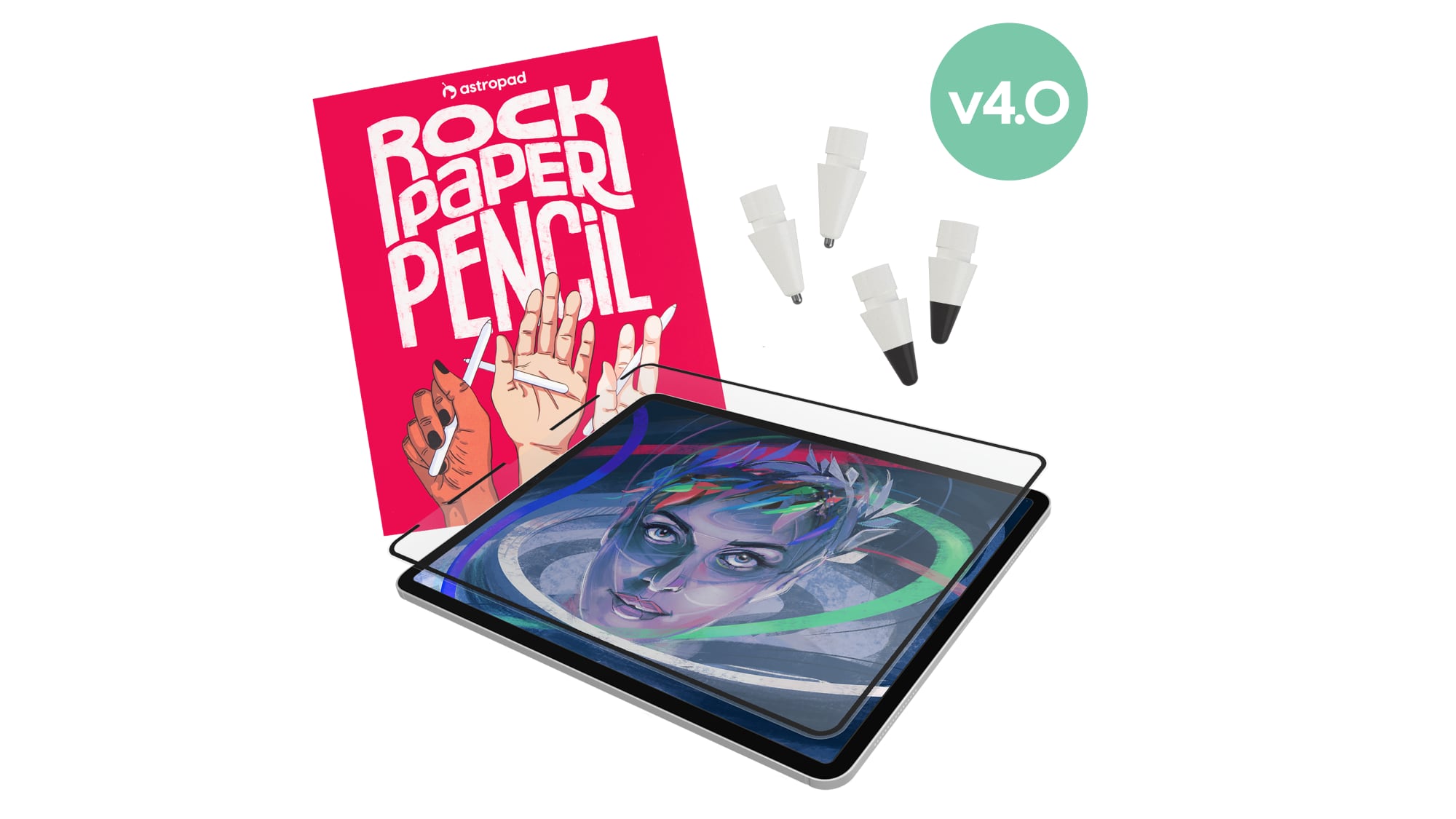 Astropad today launched Rock Paper Pencil 4.0, an updated version of its screen protector and Apple Pencil tip combo made for the iPad.
|
|
 Meta today said it will implement major changes to Facebook and Instagram's child safety features as part of a settlement agreement with almost all U.S. states.
|
|
 Clusters of towns and cities around the world have become curious case studies for scientists looking into just how residents there appear to defy natural aging, living healthier for much longer than anywhere else on the planet. Now, another "longevity hotspot" is in the spotlight.
|
|
The saying "cleared for takeoff" has a whole different meaning in space.
|
|
OpenAI is adding a new safety capability that allows enterprises to detect misuse of its AI systems across multiple interactions without retaining prompts or responses, enabling risk monitoring while preserving its Zero Data Retention (ZDR) commitments.
"OpenAI does not retain…prompts or model responses after a request is processed," the company said in a blog post, describing its ZDR approach. The new system, called Private Safety Processing, is "designed to identify patterns across related interactions without giving OpenAI personnel access to the underlying content."
The capability is being tested with eligible enterprise and API customers and is intended to address a limitation in existing safety controls that evaluate interactions individually, making it harder to detect risks that unfold over time.
What does Private Safety Processing do
Private Safety Processing is designed to extend existing safety systems by correlating activity across related interactions rather than analyzing each prompt in isolation, according to OpenAI.
Under the model, automated systems analyze interactions and generate "a narrowly defined signal indicating the type of activity involved," instead of exposing the underlying prompts or responses, according to OpenAI.
The system can o
|
|
Because of these limitations, I use ShareX instead for more complicated or precise screen captures. As well as capturing GIFs, ShareX offers significantly more advanced features, including precise capture with a magnifier, scrolling screenshot capture, and timed capture. ShareX even lets you add annotations like arrows, lines, and text bubbles to screenshots. And another great thing… it's totally free!
Here I'll show you how to use the highly coveted GIF recording function.
What to do:
Download, install, and run ShareX.
Type Ctrl Shift Print Screen. A crosshair will appear on your screen.
Now select the part of your screen you want to record a GIF with by moving the crosshair over it—it will automatically select the window or area surrounding your cursor. Click your mouse to begin recording.
To stop recording you can either type the shortcut again (Ctrl Shift Print Screen) or hit the stop button in the ShareX media control bar.
|
|