|
 Apple has announced that it will be holding an event on Wednesday, September 9 at 10 a.m. Pacific Time, with the company widely expected to unveil the iPhone 18 Pro, iPhone 18 Pro Max, its first-ever foldable iPhone, and more. Apple has announced that it will be holding an event on Wednesday, September 9 at 10 a.m. Pacific Time, with the company widely expected to unveil the iPhone 18 Pro, iPhone 18 Pro Max, its first-ever foldable iPhone, and more.
|
|
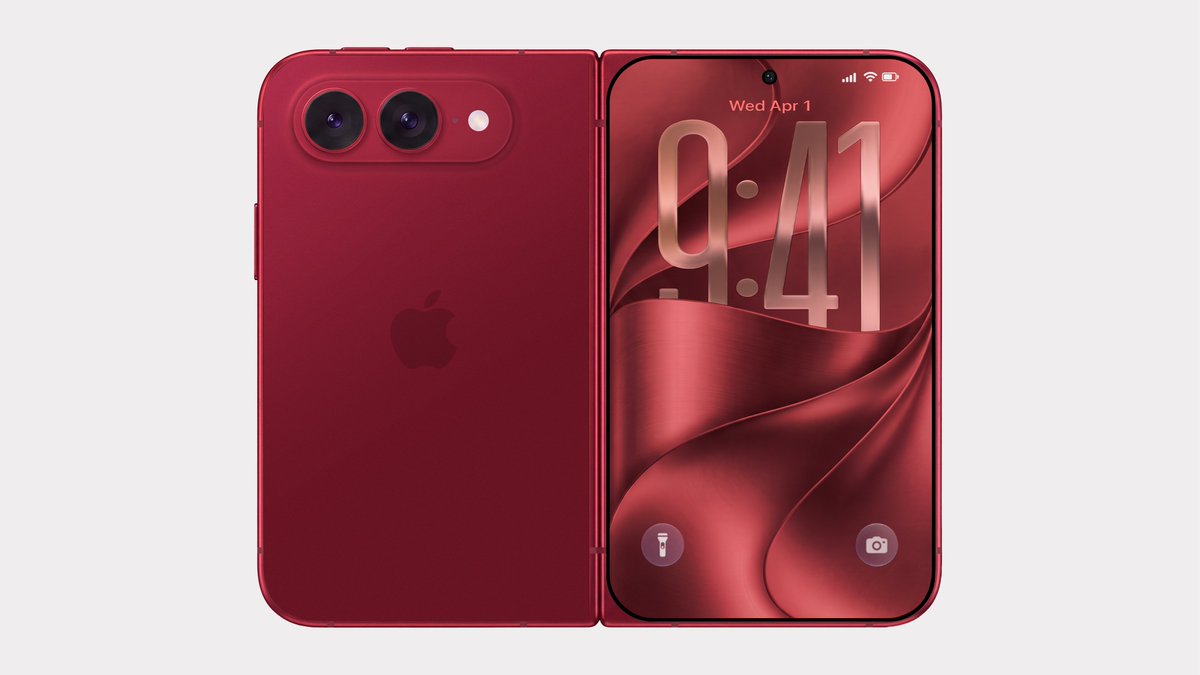 Bloomberg's Mark Gurman has disputed the authenticity of iPhone Ultra renders shared by the usually reliable leaker Evan Blass on X (Twitter). The images show the unreleased foldable iPhone in not just the rumored space gray and white colors, but also in a striking red. Bloomberg's Mark Gurman has disputed the authenticity of iPhone Ultra renders shared by the usually reliable leaker Evan Blass on X (Twitter). The images show the unreleased foldable iPhone in not just the rumored space gray and white colors, but also in a striking red.
|
|
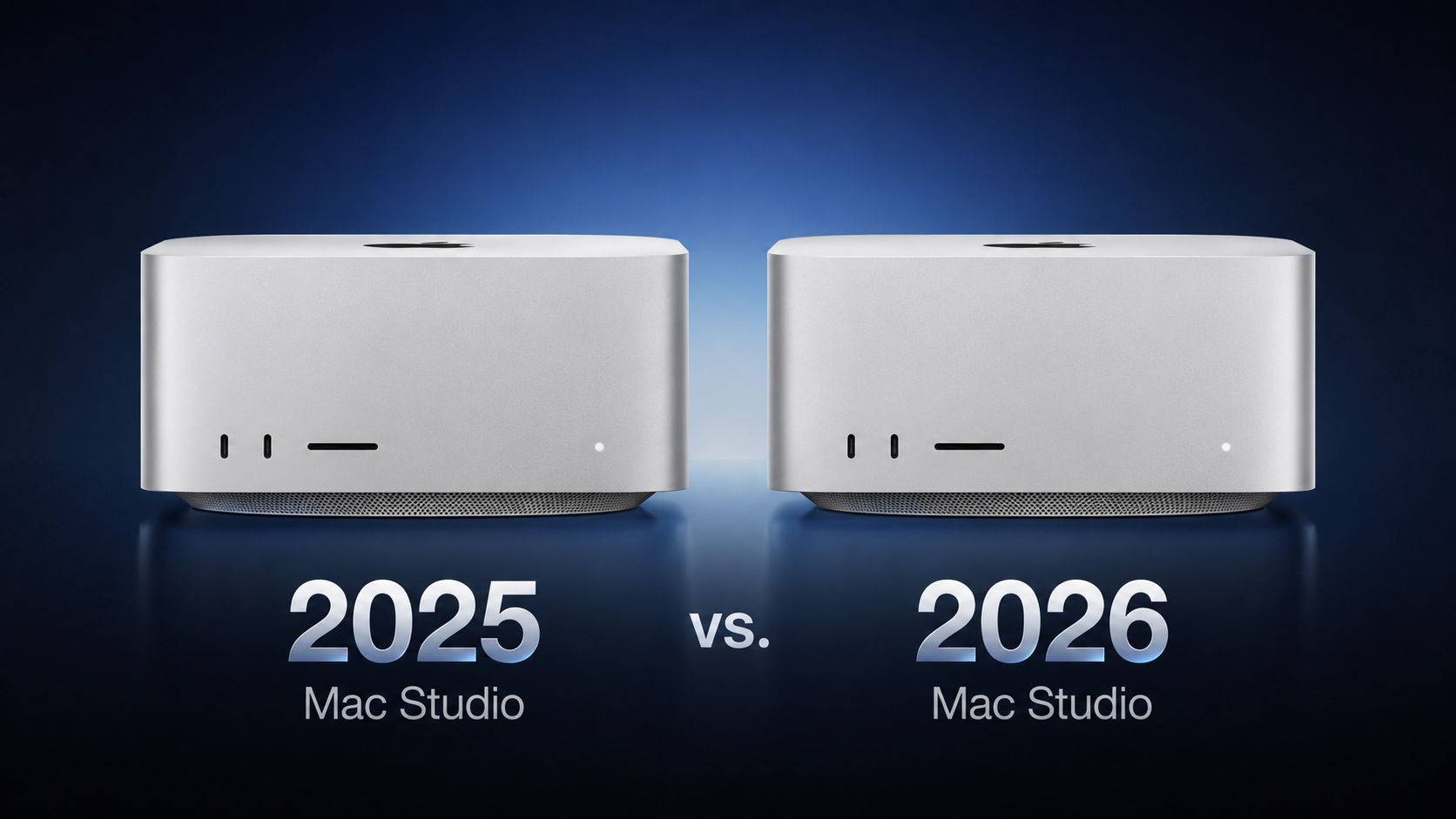 Apple this week announced a new Mac Studio with the M5 Max and M5 Ultra chips, discontinuing the M4 Max and M3 Ultra models that had been on sale since March 2025. Apple this week announced a new Mac Studio with the M5 Max and M5 Ultra chips, discontinuing the M4 Max and M3 Ultra models that had been on sale since March 2025.
|
|
 Apple today announced it will hold its annual iPhone-centric event on Wednesday, September 9 at 10 a.m. Pacific Time. In the U.S. and several other countries, Apple used "Surprise and Shine" as its tagline for the event, but in other countries, the tagline isn't a literal translation. Apple today announced it will hold its annual iPhone-centric event on Wednesday, September 9 at 10 a.m. Pacific Time. In the U.S. and several other countries, Apple used "Surprise and Shine" as its tagline for the event, but in other countries, the tagline isn't a literal translation.
|
|
 Meta today said it will implement major changes to Facebook and Instagram's child safety features as part of a settlement agreement with almost all U.S. states. Meta today said it will implement major changes to Facebook and Instagram's child safety features as part of a settlement agreement with almost all U.S. states.
|
|
 Clusters of towns and cities around the world have become curious case studies for scientists looking into just how residents there appear to defy natural aging, living healthier for much longer than anywhere else on the planet. Now, another "longevity hotspot" is in the spotlight. Clusters of towns and cities around the world have become curious case studies for scientists looking into just how residents there appear to defy natural aging, living healthier for much longer than anywhere else on the planet. Now, another "longevity hotspot" is in the spotlight.
|
|
 Apple yesterday announced the new Mac mini and Mac Studio, and pre-orders have begun on each device ahead of their September 22 launch date. We aren't currently tracking any straight cash discounts on pre-orders, but Best Buy is offering some money back in the form of Best Buy rewards when ordering. Apple yesterday announced the new Mac mini and Mac Studio, and pre-orders have begun on each device ahead of their September 22 launch date. We aren't currently tracking any straight cash discounts on pre-orders, but Best Buy is offering some money back in the form of Best Buy rewards when ordering.
|
|
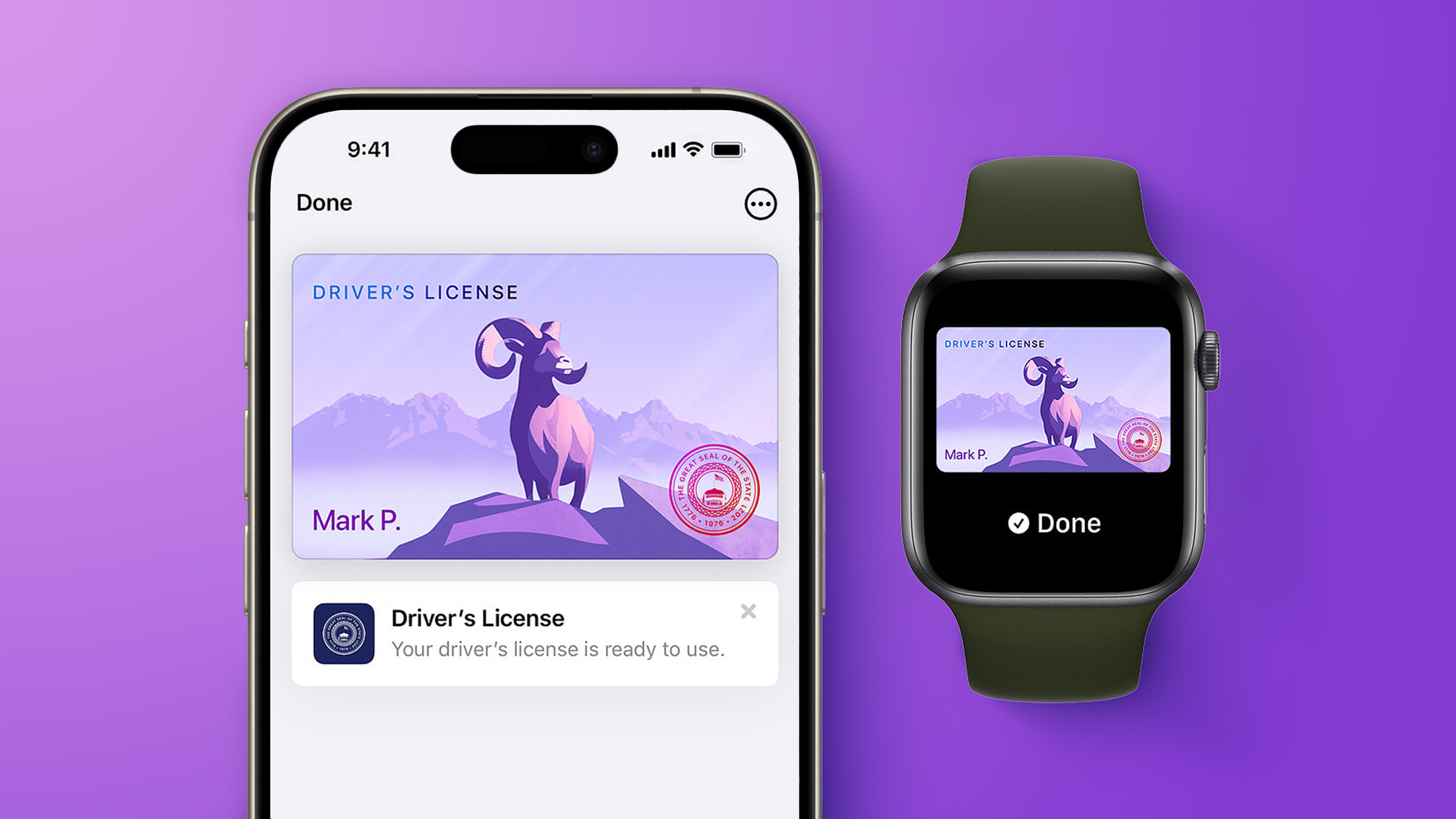 Starting today, Virginia residents can add a digital version of their driver's license to the Apple Wallet app on the iPhone and Apple Watch. The digital ID can be used to display proof of identity or age at TSA checkpoints in select airports, at select businesses, and in select apps, but the number of places where it is accepted is still quite limited. Starting today, Virginia residents can add a digital version of their driver's license to the Apple Wallet app on the iPhone and Apple Watch. The digital ID can be used to display proof of identity or age at TSA checkpoints in select airports, at select businesses, and in select apps, but the number of places where it is accepted is still quite limited.
|
|
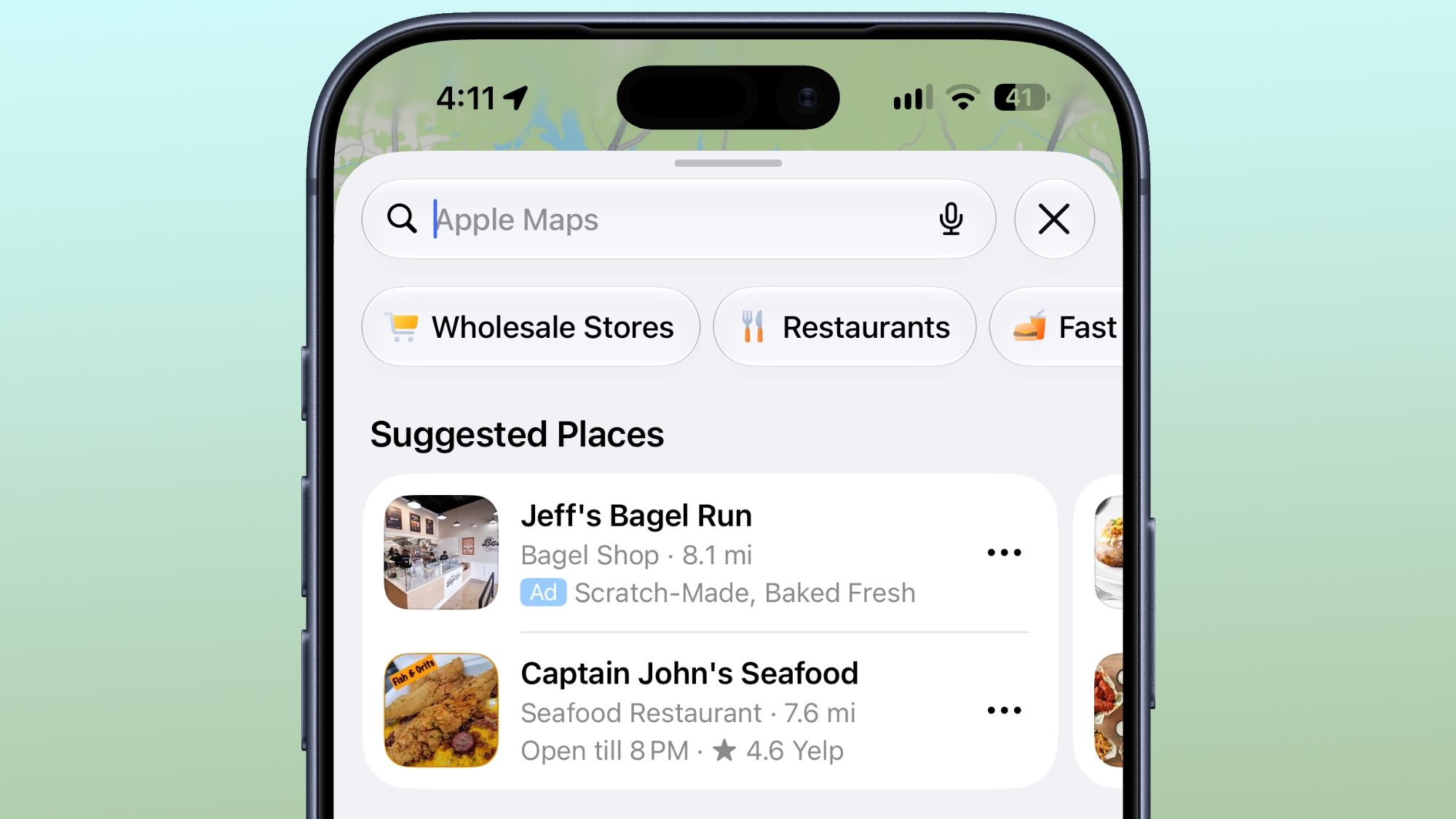 Ads in Apple Maps are live in the United States and Canada, which means iPhone and iPad users will see them when searching for locations and when viewing Suggested Places. Ads in Apple Maps are live in the United States and Canada, which means iPhone and iPad users will see them when searching for locations and when viewing Suggested Places.
|
|
If Windows 11 is on the table for you, today is your lucky day because you can get Windows 11 licenses for super cheap on the PCWorld Software Store right now. Seriously, both Windows 11 Home and Windows 11 Pro are currently priced at $14.97 each. That's down from $139 (89% off) and $199 (92% off), respectively. Huge savings!
Casual users who don't need all the fancy features of the Pro version can get away with Windows 11 Home, although given that they're on sale for the same price, you might consider getting Windows 11 Pro for the heck of it. Windows 11 Pro unlocks advanced features like BitLocker encryption, Remote Desktop Server, Hyper-V virtualization, and Windows Sandbox. (See our breakdown of Windows 11 Pro versus Home.)
Get Windows 11 for up to 92% off right nowBuy now via PCWorld Software Store
How to activate your Windows 11 license
After you've made your order, you'll have to check your email inbox for the license key. Once you have that and your chosen Windows 11 copy is installed, here's how to activate t
|
|
Because of these limitations, I use ShareX instead for more complicated or precise screen captures. As well as capturing GIFs, ShareX offers significantly more advanced features, including precise capture with a magnifier, scrolling screenshot capture, and timed capture. ShareX even lets you add annotations like arrows, lines, and text bubbles to screenshots. And another great thing… it's totally free!
Here I'll show you how to use the highly coveted GIF recording function.
What to do:
Download, install, and run ShareX.
Type Ctrl Shift Print Screen. A crosshair will appear on your screen.
Now select the part of your screen you want to record a GIF with by moving the crosshair over it—it will automatically select the window or area surrounding your cursor. Click your mouse to begin recording.
To stop recording you can either type the shortcut again (Ctrl Shift Print Screen) or hit the stop button in the ShareX media control bar.
|
|