|
 Apple has announced that it will be holding an event on Wednesday, September 9 at 10 a.m. Pacific Time, with the company widely expected to unveil the iPhone 18 Pro, iPhone 18 Pro Max, its first-ever foldable iPhone, and more. Apple has announced that it will be holding an event on Wednesday, September 9 at 10 a.m. Pacific Time, with the company widely expected to unveil the iPhone 18 Pro, iPhone 18 Pro Max, its first-ever foldable iPhone, and more.
|
|
The special edition Fitbit Air works in tandem with the Pokemon Sleep app, so you can track your workouts and rested hours.
|
|
 Apple today announced it will hold its annual iPhone-centric event on Wednesday, September 9 at 10 a.m. Pacific Time. In the U.S. and several other countries, Apple used "Surprise and Shine" as its tagline for the event, but in other countries, the tagline isn't a literal translation. Apple today announced it will hold its annual iPhone-centric event on Wednesday, September 9 at 10 a.m. Pacific Time. In the U.S. and several other countries, Apple used "Surprise and Shine" as its tagline for the event, but in other countries, the tagline isn't a literal translation.
|
|
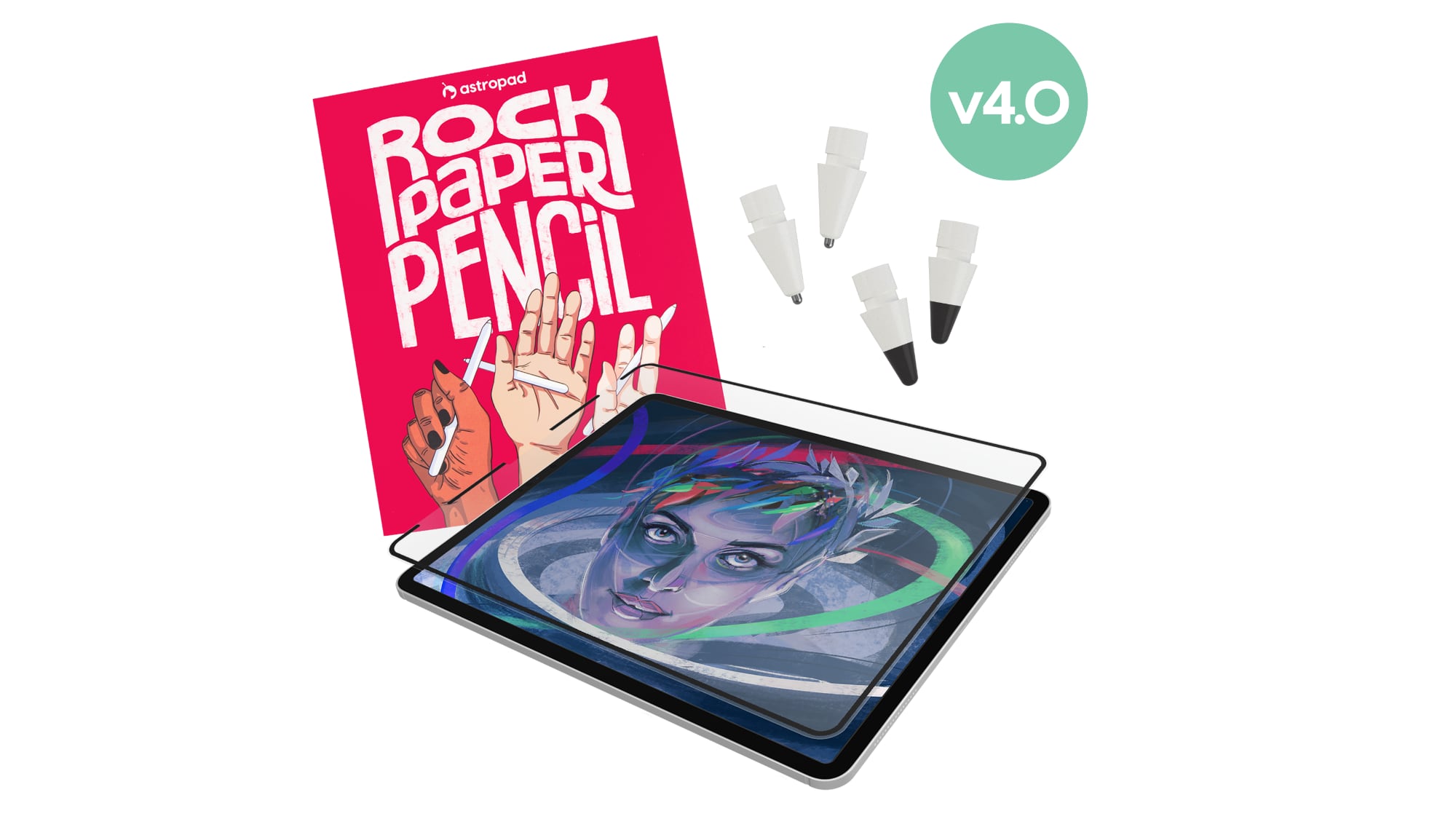 Astropad today launched Rock Paper Pencil 4.0, an updated version of its screen protector and Apple Pencil tip combo made for the iPad. Astropad today launched Rock Paper Pencil 4.0, an updated version of its screen protector and Apple Pencil tip combo made for the iPad.
|
|
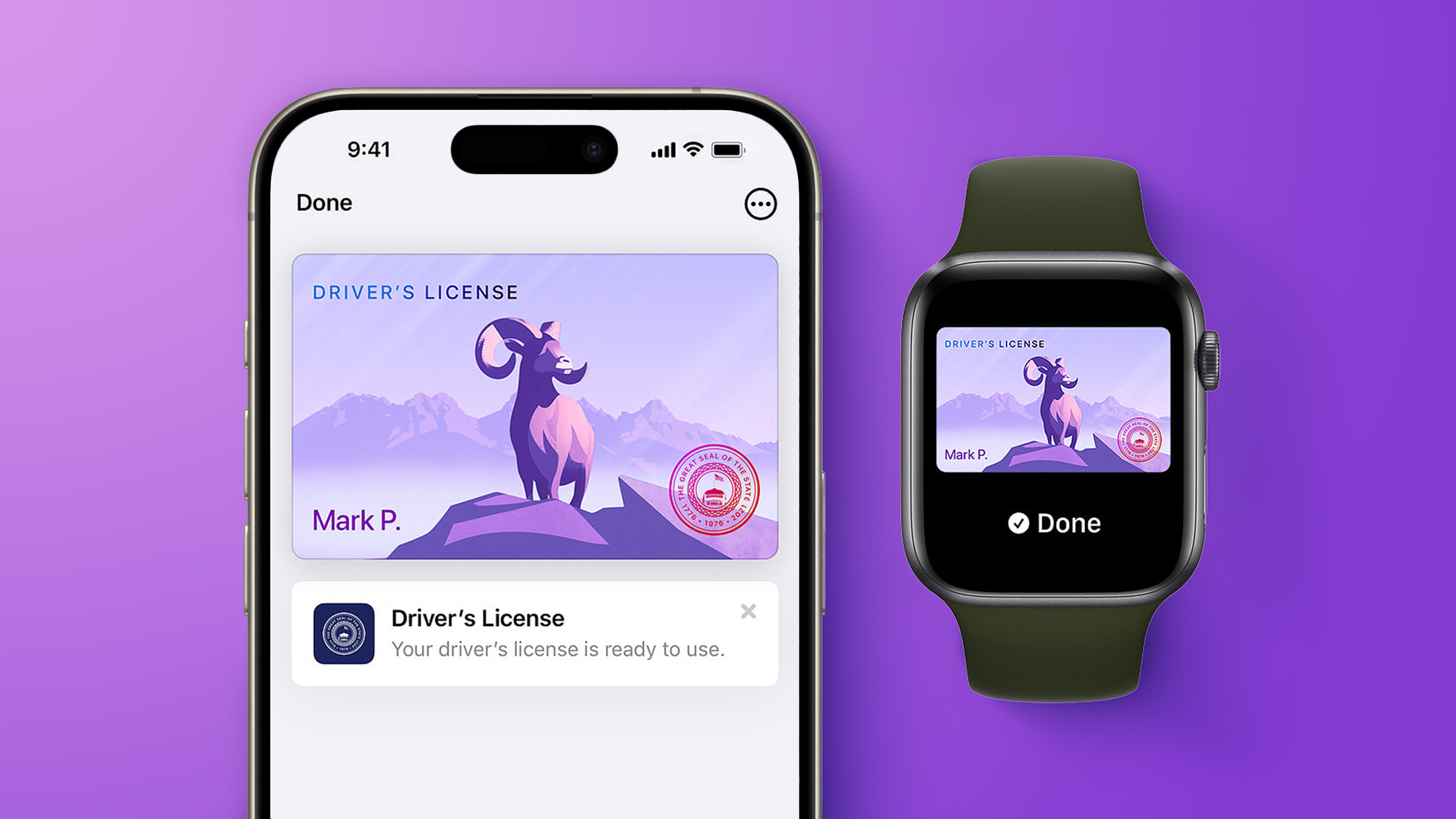 Starting today, Virginia residents can add a digital version of their driver's license to the Apple Wallet app on the iPhone and Apple Watch. The digital ID can be used to display proof of identity or age at TSA checkpoints in select airports, at select businesses, and in select apps, but the number of places where it is accepted is still quite limited. Starting today, Virginia residents can add a digital version of their driver's license to the Apple Wallet app on the iPhone and Apple Watch. The digital ID can be used to display proof of identity or age at TSA checkpoints in select airports, at select businesses, and in select apps, but the number of places where it is accepted is still quite limited.
|
|
It's a sign of the times: Security conference DefCon has added smart glasses to its list of banned audio- or video-recording devices.
The organizers have said that, with no consistent way to understand whether smart glasses are recording or not, they have taken the step to ban them in their entirety on the grounds that they erode trust and invade people's privacy.
Putting corrective lenses in the smart glasses will be no excuse: DefCon insists that visitors bring a pair of glasses without the smarts instead.
The smart glasses ban has been added to DefCon's already strict rules on photography, which among other things ask visitors not to take group shots and to use "portrait" mode (or a low F-stop for those with old-fashioned cameras) to focus on the foreground, so that people in the background appear blurred.
The smart glasses market has gone up a notch lately. Google and Samsung have both announced Gemini powered eyewear running on Android. Apple is looking to launch its new generation of smart glasses next June, citing privacy concerns as the reason for the delay.
|
|
Because of these limitations, I use ShareX instead for more complicated or precise screen captures. As well as capturing GIFs, ShareX offers significantly more advanced features, including precise capture with a magnifier, scrolling screenshot capture, and timed capture. ShareX even lets you add annotations like arrows, lines, and text bubbles to screenshots. And another great thing… it's totally free!
Here I'll show you how to use the highly coveted GIF recording function.
What to do:
Download, install, and run ShareX.
Type Ctrl Shift Print Screen. A crosshair will appear on your screen.
Now select the part of your screen you want to record a GIF with by moving the crosshair over it—it will automatically select the window or area surrounding your cursor. Click your mouse to begin recording.
To stop recording you can either type the shortcut again (Ctrl Shift Print Screen) or hit the stop button in the ShareX media control bar.
|
|



