|
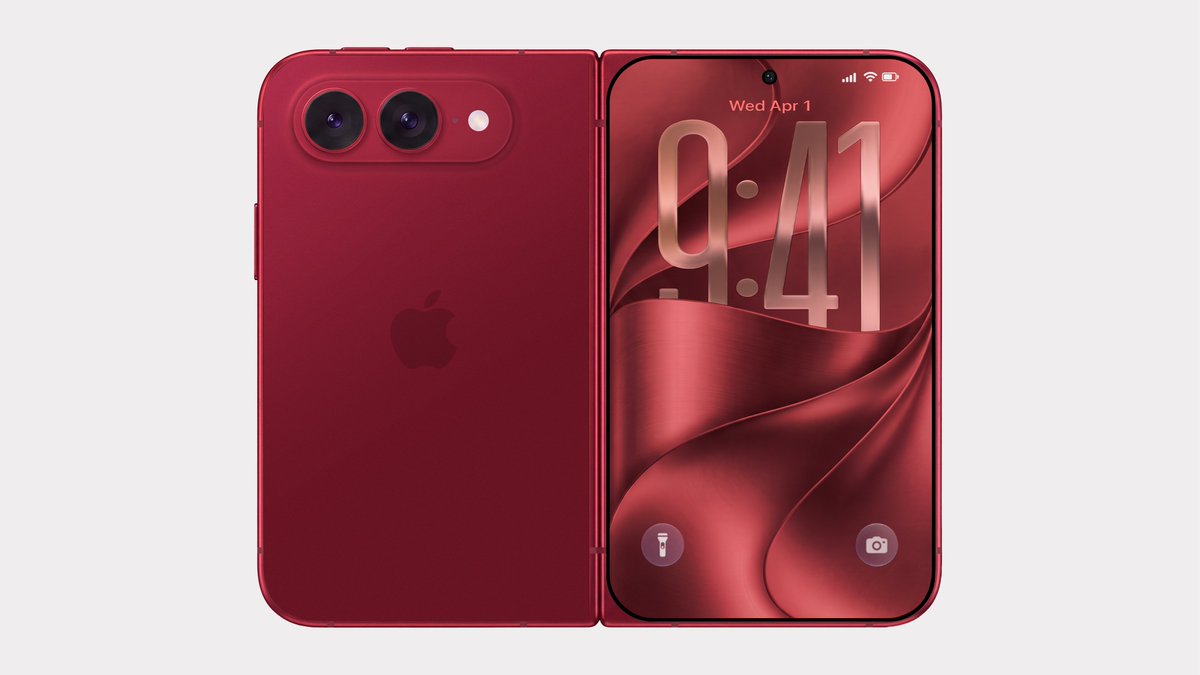 Bloomberg's Mark Gurman has disputed the authenticity of iPhone Ultra renders shared by the usually reliable leaker Evan Blass on X (Twitter). The images show the unreleased foldable iPhone in not just the rumored space gray and white colors, but also in a striking red. Bloomberg's Mark Gurman has disputed the authenticity of iPhone Ultra renders shared by the usually reliable leaker Evan Blass on X (Twitter). The images show the unreleased foldable iPhone in not just the rumored space gray and white colors, but also in a striking red.
|
|
 Apple today announced it will hold its annual iPhone-centric event on Wednesday, September 9 at 10 a.m. Pacific Time. In the U.S. and several other countries, Apple used "Surprise and Shine" as its tagline for the event, but in other countries, the tagline isn't a literal translation. Apple today announced it will hold its annual iPhone-centric event on Wednesday, September 9 at 10 a.m. Pacific Time. In the U.S. and several other countries, Apple used "Surprise and Shine" as its tagline for the event, but in other countries, the tagline isn't a literal translation.
|
|
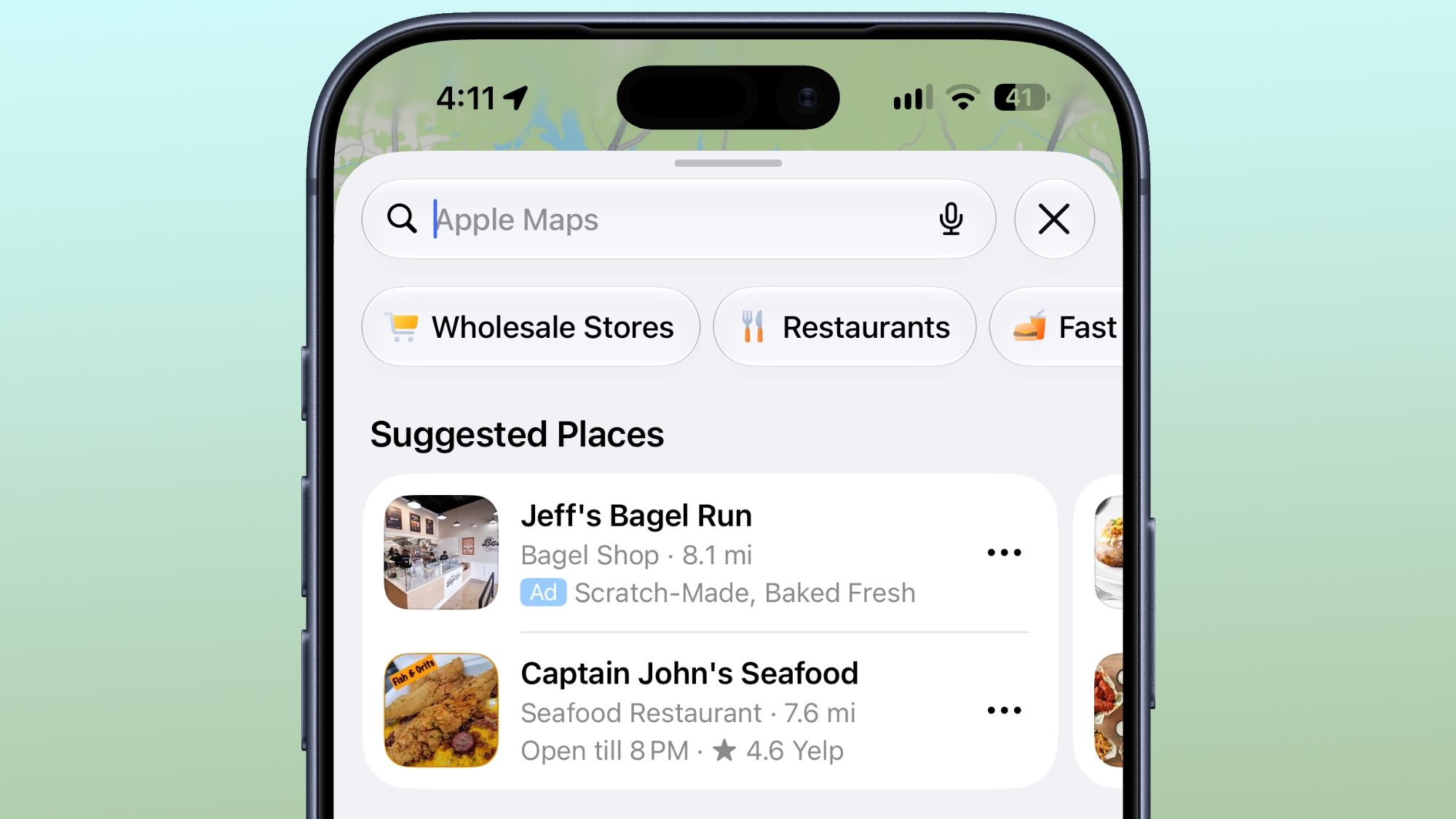 Ads in Apple Maps are live in the United States and Canada, which means iPhone and iPad users will see them when searching for locations and when viewing Suggested Places. Ads in Apple Maps are live in the United States and Canada, which means iPhone and iPad users will see them when searching for locations and when viewing Suggested Places.
|
|
If Windows 11 is on the table for you, today is your lucky day because you can get Windows 11 licenses for super cheap on the PCWorld Software Store right now. Seriously, both Windows 11 Home and Windows 11 Pro are currently priced at $14.97 each. That's down from $139 (89% off) and $199 (92% off), respectively. Huge savings!
Casual users who don't need all the fancy features of the Pro version can get away with Windows 11 Home, although given that they're on sale for the same price, you might consider getting Windows 11 Pro for the heck of it. Windows 11 Pro unlocks advanced features like BitLocker encryption, Remote Desktop Server, Hyper-V virtualization, and Windows Sandbox. (See our breakdown of Windows 11 Pro versus Home.)
Get Windows 11 for up to 92% off right nowBuy now via PCWorld Software Store
How to activate your Windows 11 license
After you've made your order, you'll have to check your email inbox for the license key. Once you have that and your chosen Windows 11 copy is installed, here's how to activate t
|
|



